Summarize this article with:

Your workspace directly impacts your productivity, creativity, and professional success. Contemporary home office ideas blend sleek aesthetics with functional design to create environments that inspire peak performance.

Modern remote work demands spaces that reflect current design trends while supporting diverse work styles. From minimalist setups to tech-integrated command centers, today’s home offices balance style with substance.

This guide explores practical solutions for creating productive workspaces that look professionally polished. You’ll discover furniture selection strategies, lighting design principles, and organization systems that transform any room into an efficient work environment.

Whether you’re designing a dedicated office or carving out workspace in a shared room, these contemporary approaches will help you build a space that motivates daily success while maintaining visual appeal.

Furniture Selection for Function and Style

Furniture Selection for Function and Style

Creating a productive workspace starts with choosing the right pieces. Your furniture choices directly impact both comfort and efficiency.

Desk Options and Configurations

Standing desks transform how you work throughout the day. Adjustable height models from Uplift Desk and Autonomous offer flexibility between sitting and standing positions.

Traditional executive desks provide ample surface area and storage. Choose solid wood or engineered options that match your style preferences.

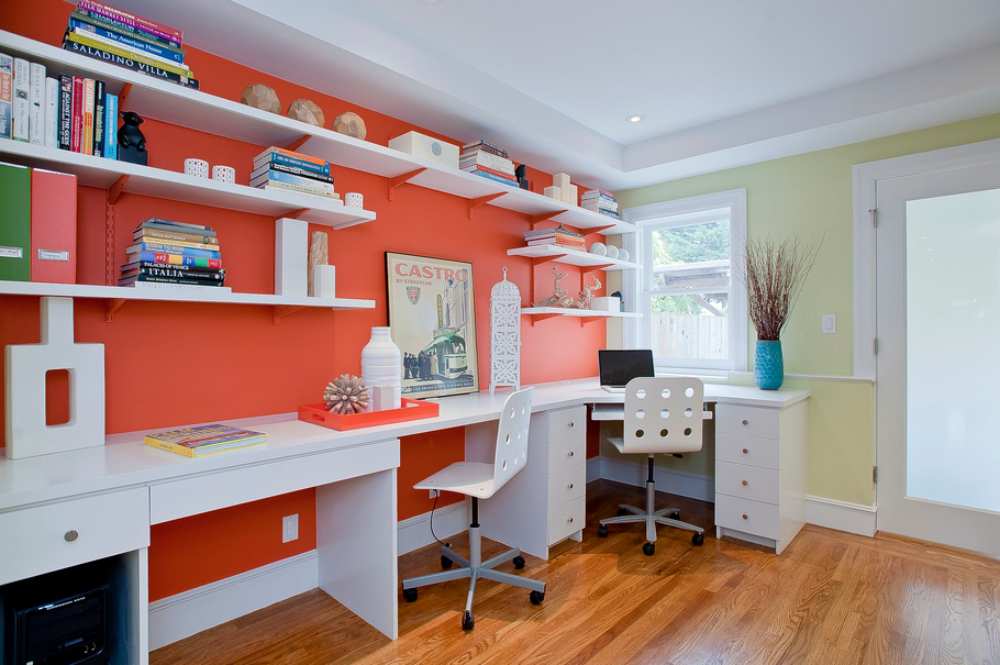
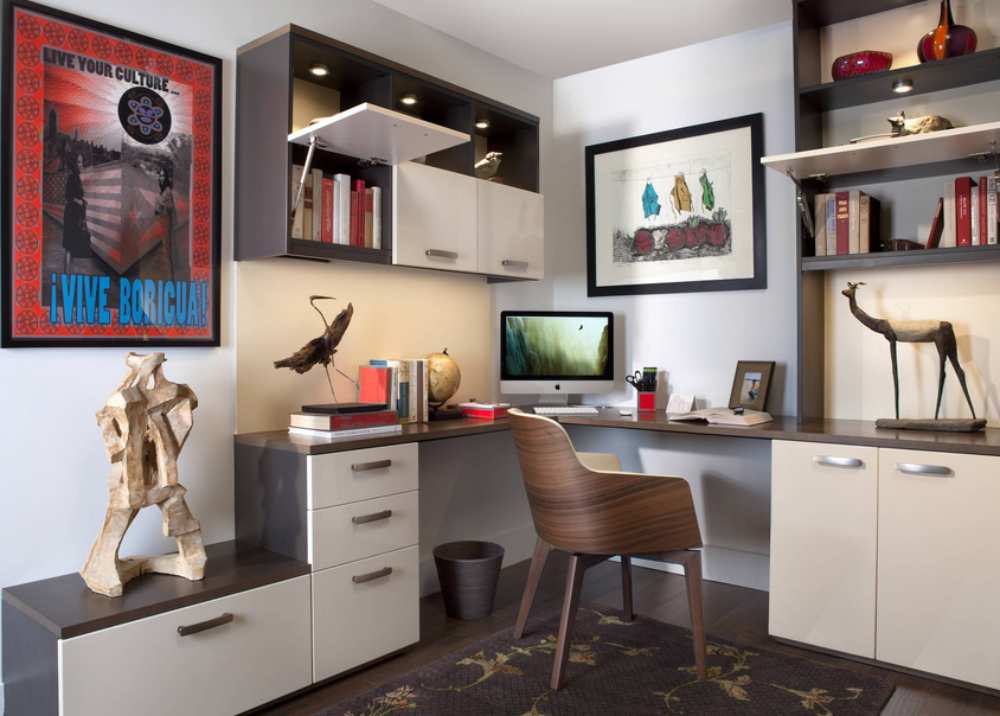
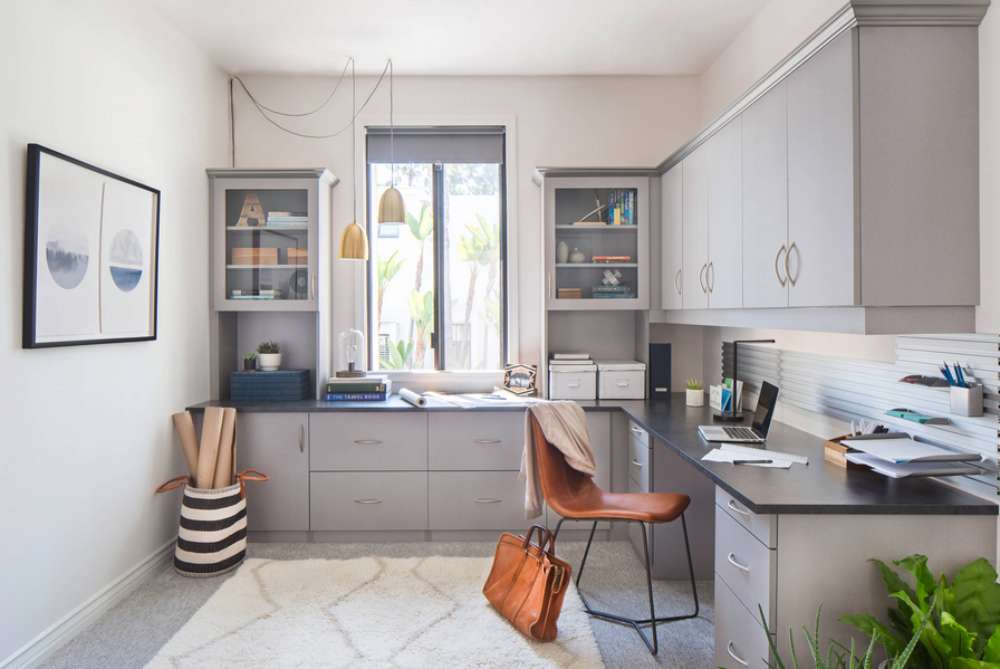
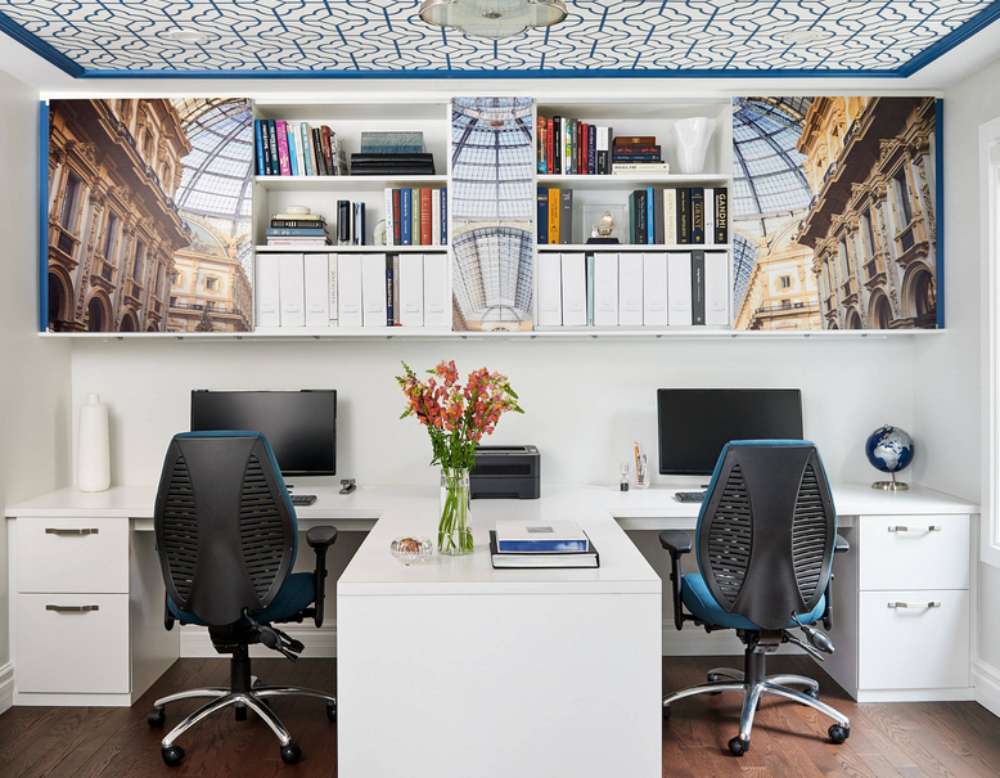
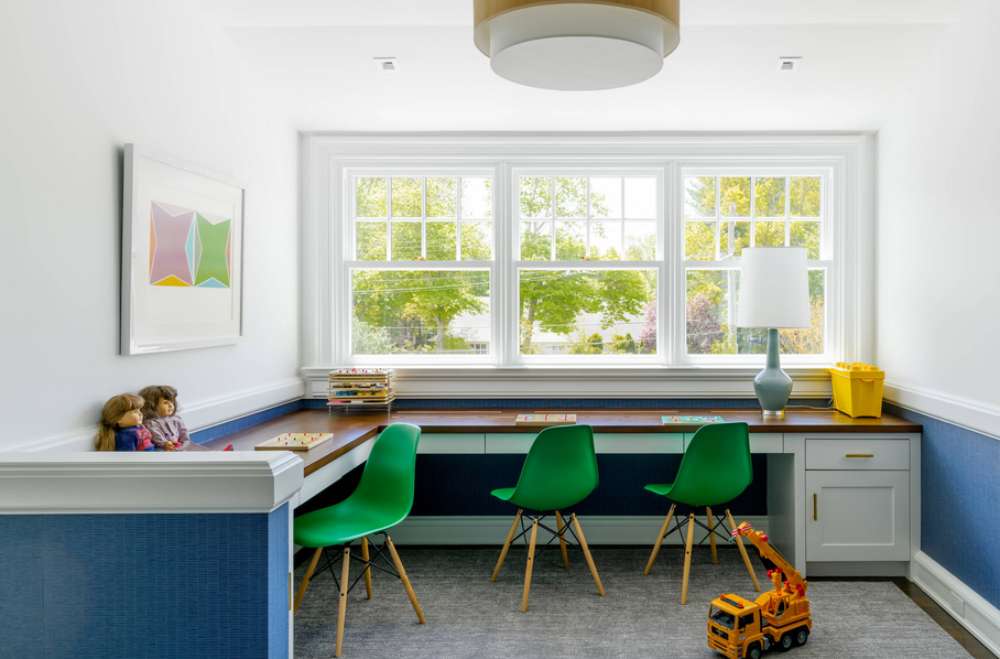
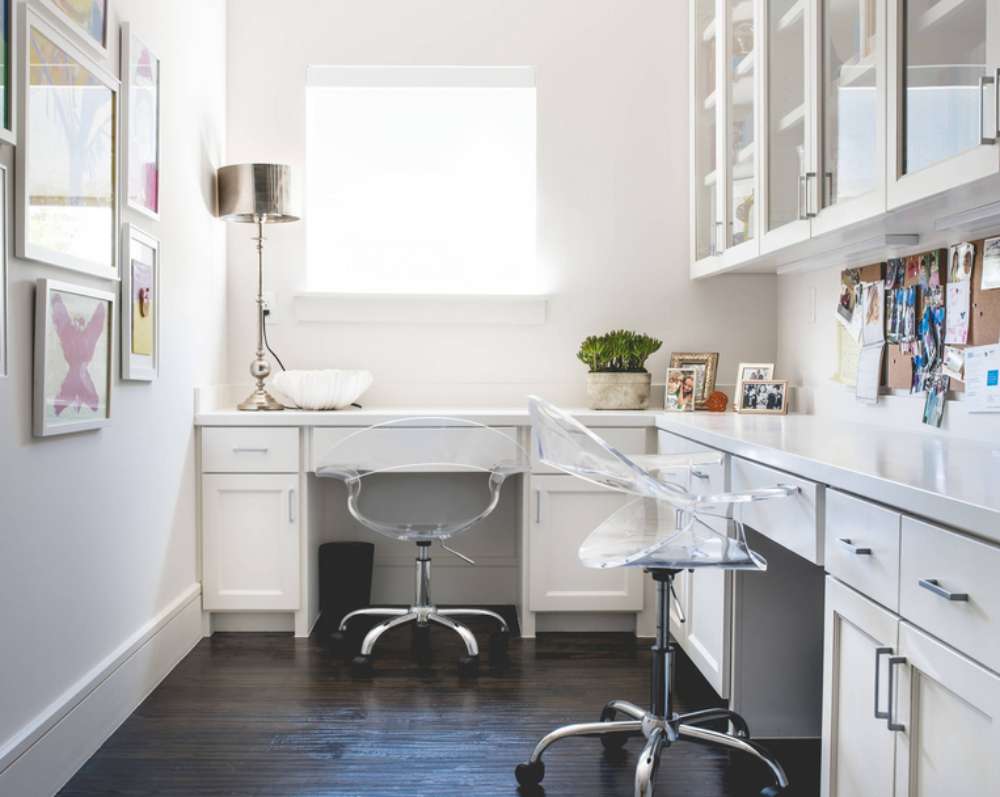
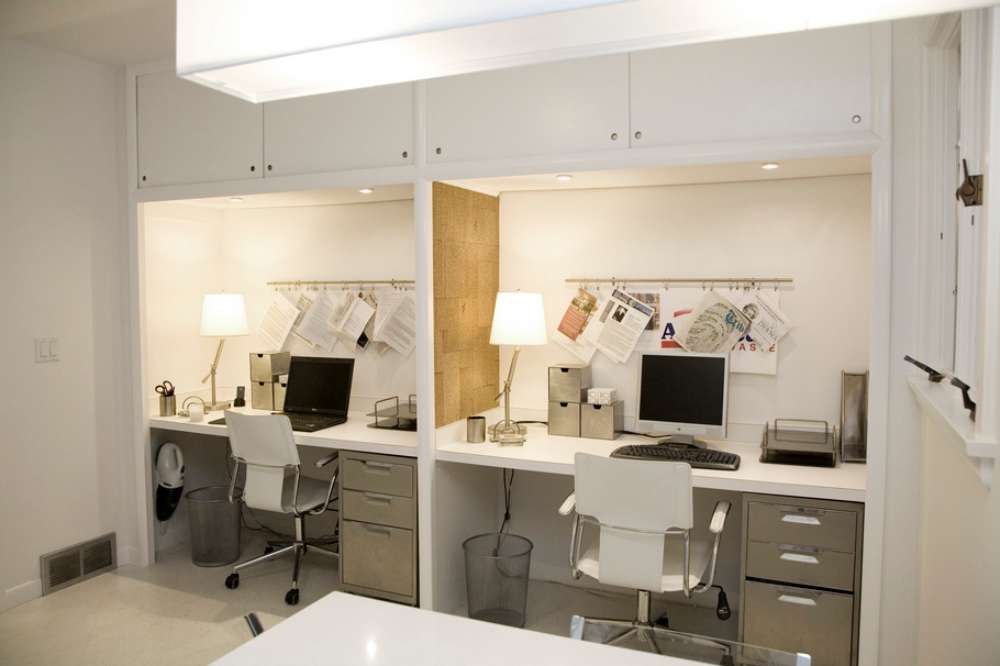
Corner configurations maximize small spaces effectively. L-shaped arrangements create distinct zones for computer work and paperwork.

Essential Seating Solutions

Ergonomic office chairs support long work sessions. Herman Miller and Steelcase offer professional-grade options with lumbar support and adjustable features.

The iconic Aeron chair remains a top choice for serious professionals. Its breathable mesh design prevents heat buildup during extended use.

Alternative seating adds variety to your routine. Balance ball chairs engage core muscles while working.

Guest seating accommodates meetings and collaboration. Choose pieces that complement your primary workspace aesthetic.

Smart Storage Systems

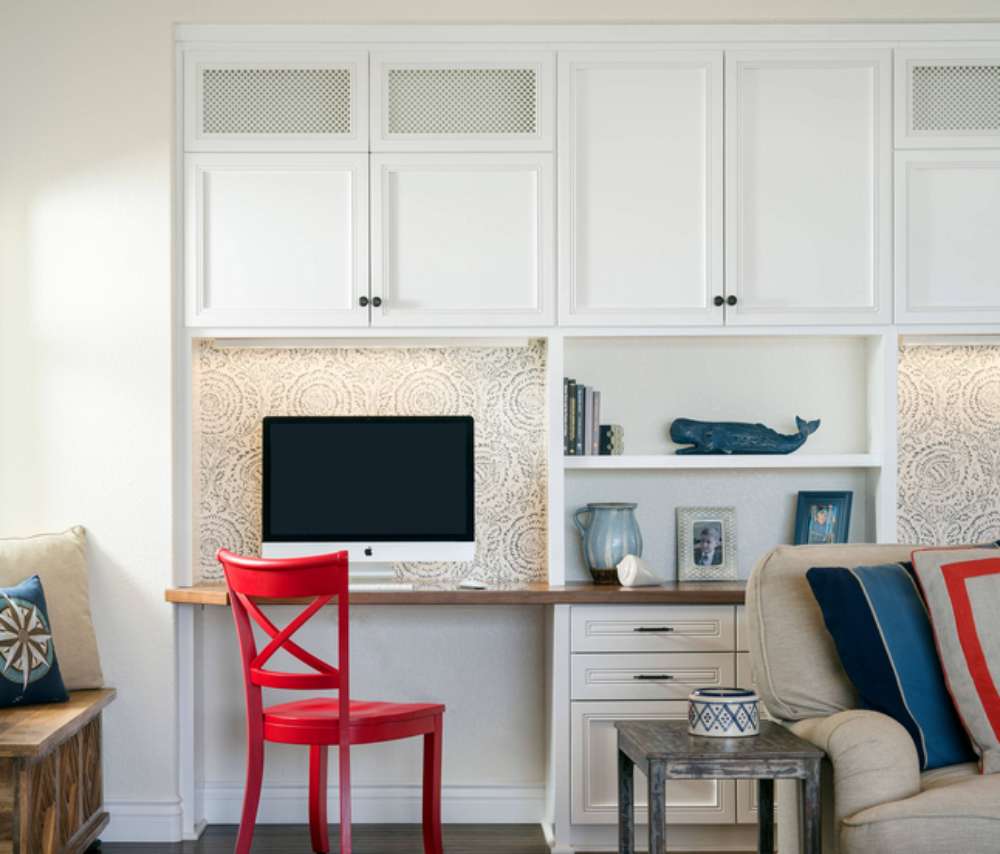
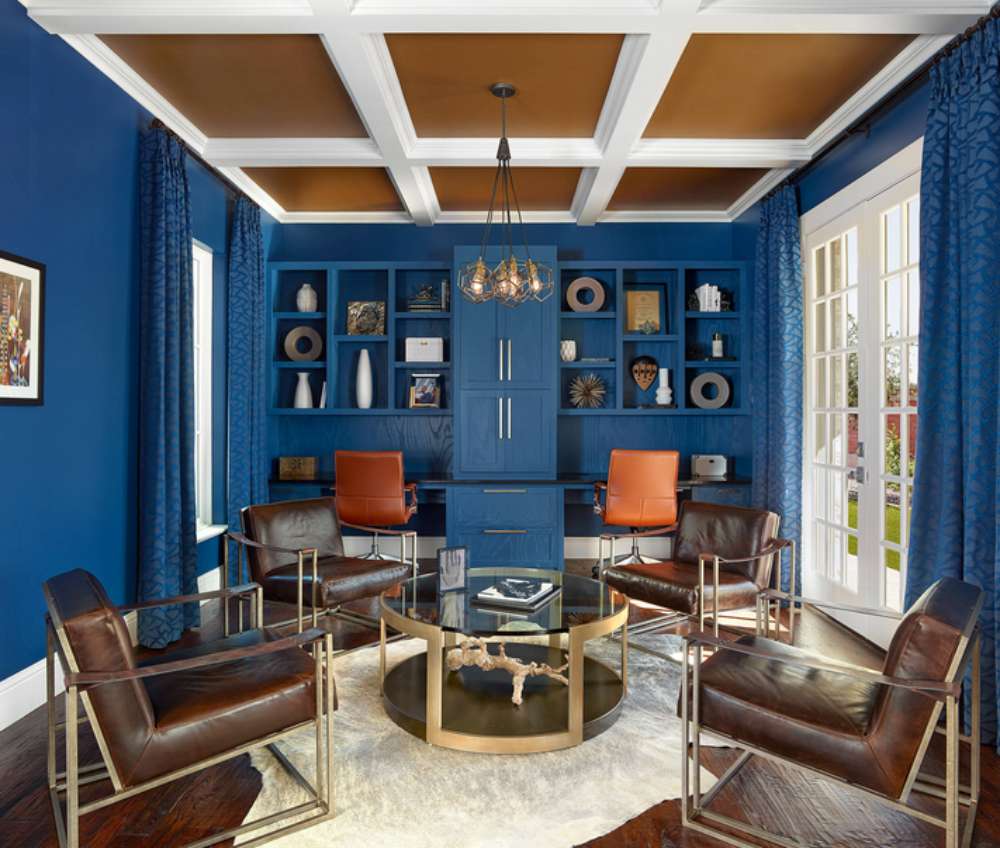
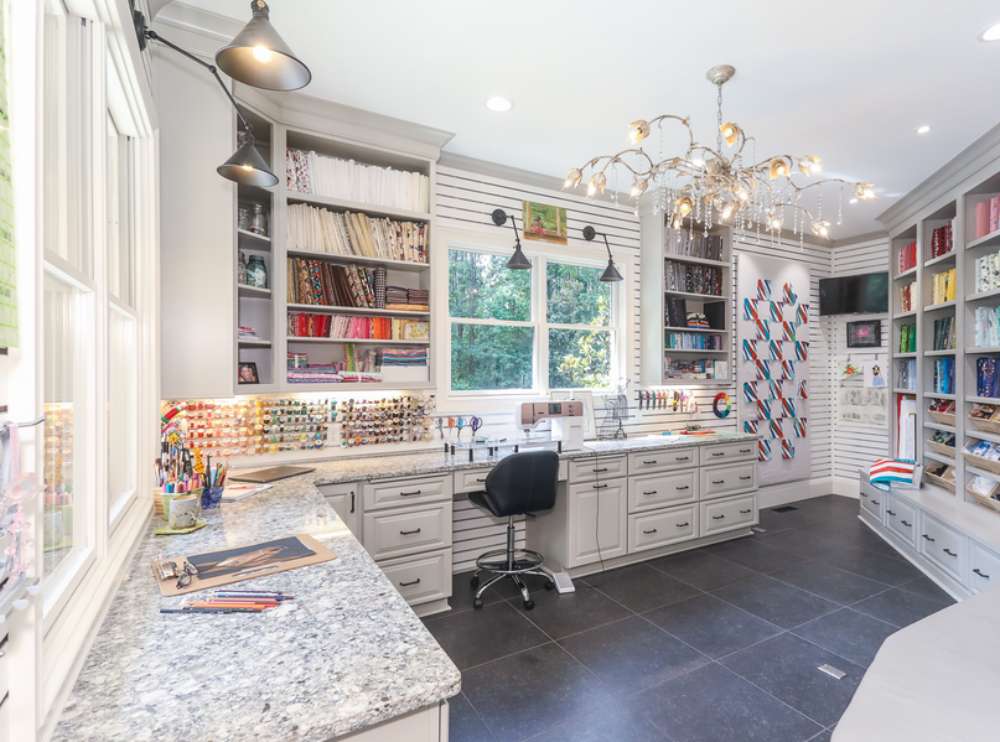
Built-in shelving maximizes vertical space efficiently. Custom solutions integrate seamlessly with room architecture.

Modular storage adapts as needs change. Mix and match components to create personalized organization systems.

Filing cabinets keep important documents secure. Modern designs blend storage with style rather than looking purely functional.

Multi-Functional Furniture Pieces

Contemporary office furniture serves multiple purposes. Ottoman storage provides seating while hiding supplies and equipment.

Floating shelves display books and decorative items. They create visual interest without consuming floor space.

Mobile carts move between different work zones. Use them for supplies, equipment, or as temporary work surfaces.

Room dividers define workspace boundaries in open areas. Bookcase styles add storage while creating privacy.

Material and Style Considerations

Wood furniture brings warmth to sterile environments. Walnut and oak offer timeless appeal with excellent durability.

Metal frames provide industrial character. Powder-coated finishes resist scratches and maintain appearance over time.

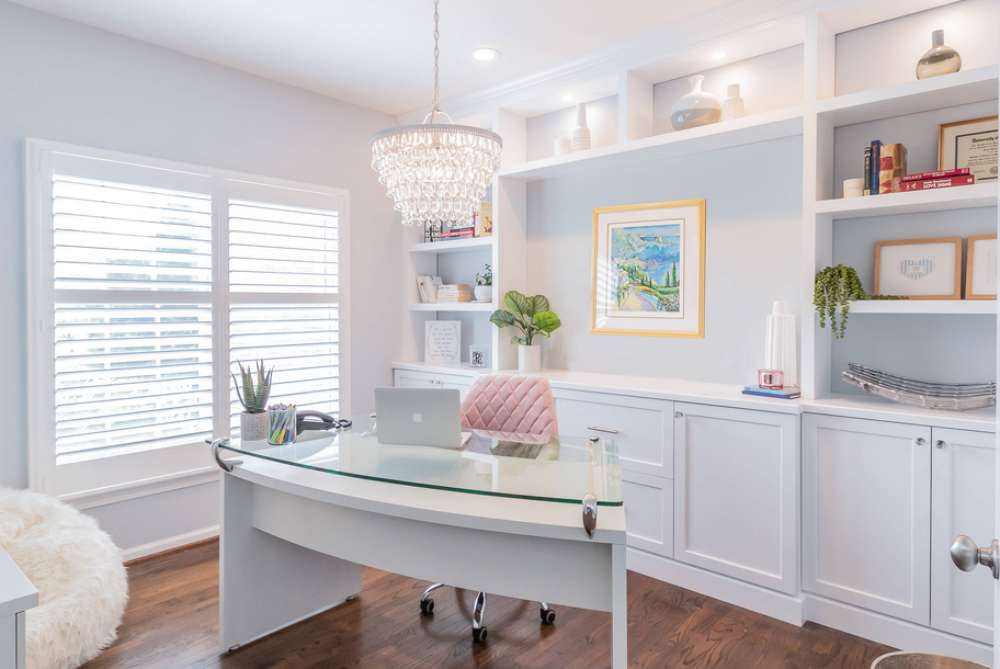
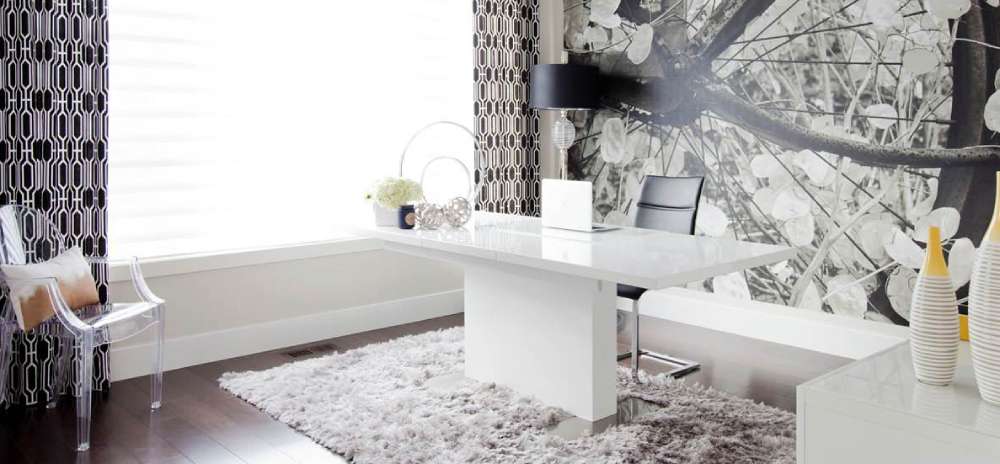
Glass surfaces create visual lightness in compact spaces. Tempered options ensure safety and longevity.

Mix materials thoughtfully for visual interest. Combine wood, metal, and glass elements harmoniously.

Lighting Design for Productivity

Lighting Design for Productivity

Proper lighting reduces eye strain and maintains energy levels. Layer different light sources for optimal workspace illumination.

Natural Light Optimization

Position desks perpendicular to windows when possible. This placement minimizes glare while maximizing daylight benefits.

Window treatments control light intensity throughout the day. Adjustable blinds or shades offer precise control over brightness levels.

Light-filtering options maintain privacy without blocking illumination. Cellular shades diffuse harsh sunlight effectively.

Consider seasonal changes in light patterns. Summer requires different management than winter months.

Task Lighting Solutions

Desk lamps provide focused illumination for detailed work. LED options offer energy efficiency with adjustable brightness settings.

Under-cabinet lighting illuminates keyboard and paperwork areas. Strip lights install easily beneath floating shelves or cabinets.

Adjustable arm lamps position light exactly where needed. Choose models with multiple pivot points for maximum flexibility.

Monitor lights reduce screen glare without affecting ambient lighting. Clip-on models attach directly to display tops.

Ambient Lighting Creation

Ceiling fixtures establish overall room brightness. Recessed lighting creates clean, unobtrusive illumination.

Track lighting highlights specific areas or artwork. Adjustable heads direct light precisely where needed.

Floor lamps soften harsh overhead lighting. Choose designs that complement your furniture style and scale.

Wall sconces add layered lighting without consuming surface space. They work especially well flanking built-in storage areas.

Smart Lighting Integration

Programmable systems adjust automatically throughout the day. Smart switches and dimmers create customized lighting scenes.

Color temperature affects mood and productivity. Cooler tones enhance focus while warmer settings promote relaxation.

Motion sensors activate lights when entering the workspace. They save energy while ensuring adequate illumination.

Voice controls eliminate the need to manually adjust settings. Integration with home automation systems streamlines daily routines.

Specialty Lighting Considerations

Accent lighting highlights architectural features or artwork. Use it sparingly to create visual interest without overwhelming the space.

Reading lights serve dual purposes in home offices. Choose adjustable models that work for both computer and book reading.

Backup lighting ensures continued productivity during power outages. Battery-powered LED strips provide emergency illumination.

Photography lighting helps with video calls and content creation. Ring lights or softbox setups improve on-camera appearance.

Energy Efficiency and Maintenance

LED bulbs last longer and consume less energy. They generate minimal heat, keeping workspace temperatures comfortable.

Daylight sensors adjust artificial lighting based on natural light levels. This automation maintains consistent illumination while saving energy.

Easy-to-clean fixtures reduce maintenance requirements. Choose designs that allow simple bulb replacement and dust removal.

Timer controls prevent lights from running unnecessarily. Programmable schedules match lighting to work patterns.

Color Schemes and Material Choices

Color Schemes and Material Choices

Strategic color selection influences productivity and mood. Choose palettes that support focus while reflecting personal style preferences.

Productivity-Boosting Color Palettes

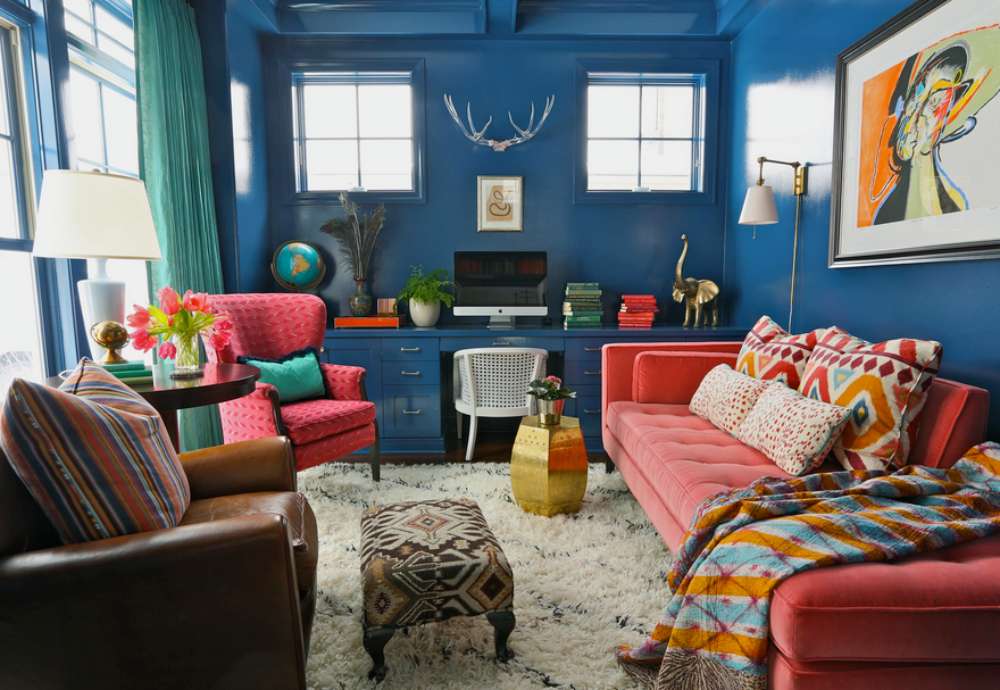
Cool tones promote concentration and mental clarity. Blues and greens create calming environments that reduce stress levels.

Navy blue establishes professional credibility in video calls. Pair it with crisp whites for a classic, timeless look.

Soft grays provide neutral backdrops that don’t compete with screen displays. They work well in minimalist interior design approaches.

Warm and Inviting Schemes

Warm whites prevent sterile office feelings. Cream and off-white tones add subtle warmth without overwhelming brightness.

Earth tones ground the space naturally. Terracotta and sage green bring outdoor elements inside.

Contemporary color schemes often feature monochromatic approaches. Single-color variations create sophisticated, cohesive looks.

Neutral Base Approaches

Beige serves as a versatile foundation color. It complements both warm and cool accent pieces effectively.

Charcoal gray adds depth without darkness. Use it on accent walls or furniture pieces for visual weight.

Black elements provide dramatic contrast. Incorporate through frames, hardware, or technology components.

Accent Color Strategies

Bold accents energize neutral spaces. Yellow desk accessories or orange artwork inject personality without overwhelming.

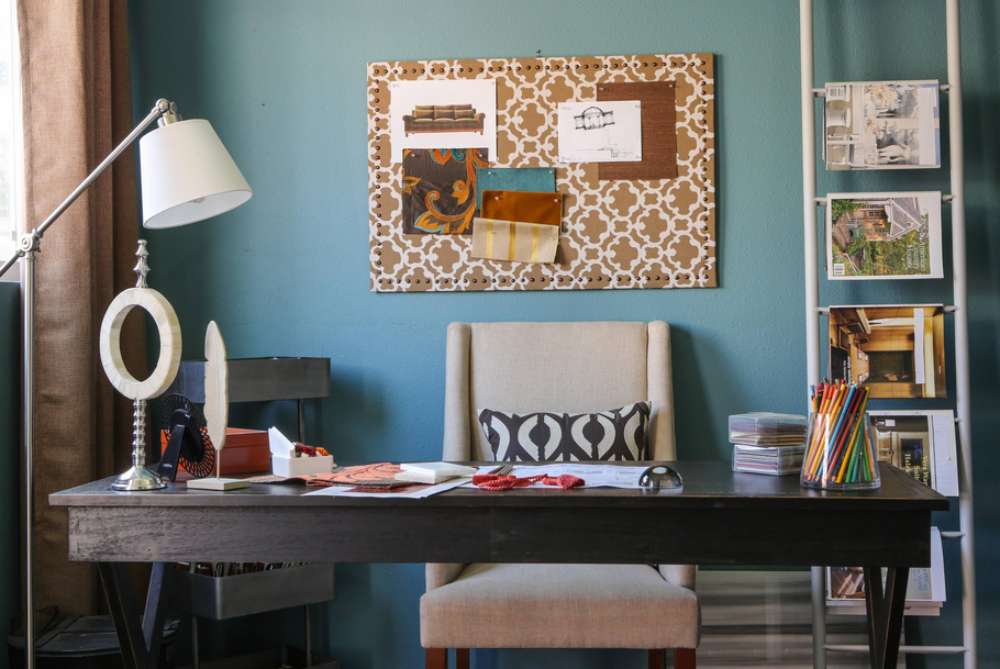
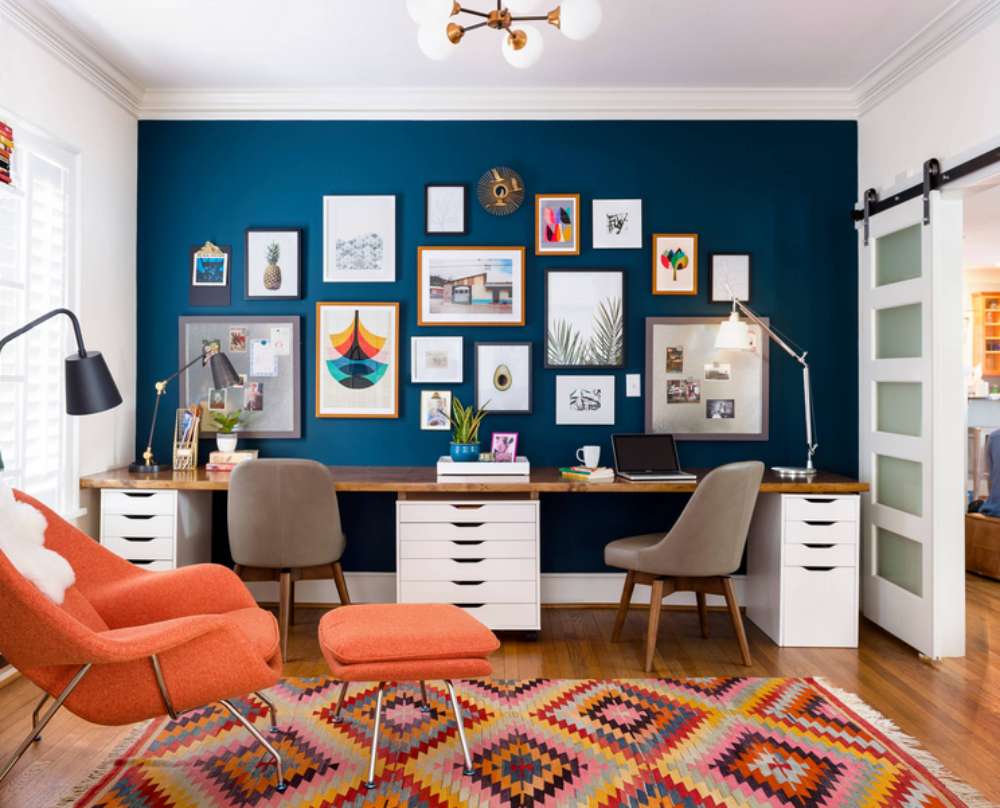
Accent walls create focal points behind desk areas. Contemporary interior design often features single statement walls.

Seasonal color updates keep spaces fresh. Change pillows, artwork, or desk accessories quarterly.

Material Selection Guidelines

Wood grains add natural warmth to digital environments. Oak and walnut offer timeless appeal with excellent durability.

Light woods like maple brighten darker rooms. They pair well with white or gray color schemes.

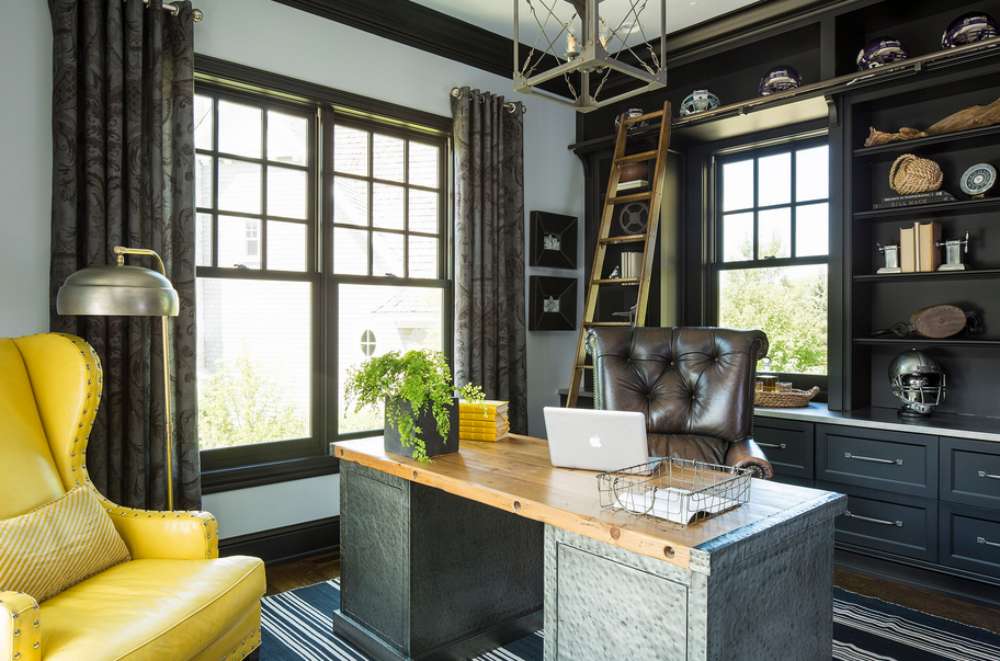
Darker woods create sophisticated, executive atmospheres. Mahogany and cherry convey established professionalism.

Metal Finishes and Textures

Brushed steel complements modern technology seamlessly. It coordinates with laptop finishes and monitor stands.

Brass hardware adds warmth to cool color schemes. Use it sparingly on drawer pulls or lamp bases.

Industrial design elements incorporate raw metal finishes. Powder-coated steel provides durability with style options.

Glass and Acrylic Elements

Clear materials maintain visual lightness in compact spaces. Glass desk tops don’t obstruct sight lines or natural light.

Frosted glass provides privacy while allowing light transmission. Use it for room dividers or cabinet doors.

Acrylic organizers keep supplies visible yet contained. They work especially well in Scandinavian interior design schemes.

Fabric and Upholstery Choices

Performance fabrics resist stains and wear. Choose them for seating that receives daily use.

Texture adds visual interest without color competition. Woven patterns or subtle geometric designs work well.

Natural fibers like wool or linen bring organic elements indoors. They complement biophilic design principles.

Technology Integration and Cable Management

Technology Integration and Cable Management

Modern offices require seamless technology integration. Plan power and data connections before finalizing furniture placement.

Equipment Placement Strategies

Monitor positioning affects neck strain and eye health. Center screens at arm’s length with tops at eye level.

Dual monitor setups increase productivity significantly. Use matching displays for consistent color and brightness.

Printer placement requires both accessibility and noise consideration. Position units away from primary work areas when possible.

Power and Charging Solutions

Smart power strips eliminate phantom energy draw. Look for models with individual outlet controls and USB charging ports.

Under-desk power supplies keep surfaces clean. Mount them to desk undersides or nearby walls.

Wireless charging pads reduce cable clutter. Integrate them into desk surfaces or drawer tops.

Cable Organization Systems

Cable trays mount under desks invisibly. They route multiple cords while keeping them accessible for changes.

Cable management starts with planning power needs. Calculate device requirements before selecting solutions.

Cord clips attach to desk edges simply. Use them for frequently connected and disconnected devices.

Wireless Technology Adoption

Wi-Fi eliminates ethernet cable requirements. Ensure strong signal strength throughout the workspace area.

Bluetooth peripherals reduce cord clutter significantly. Wireless keyboards, mice, and headphones improve desk aesthetics.

Cloud storage reduces local hardware needs. External drives become less necessary with reliable internet connections.

Smart Home Integration

Voice assistants control lighting and climate hands-free. Amazon Echo or Google devices integrate with home automation systems.

Smart lighting adjusts automatically throughout the day. Program scenes for different work activities and times.

Home automation extends beyond basic controls. Integrate security cameras, door locks, and environmental monitoring.

Audio Equipment Integration

Dedicated speakers improve video call quality. Position them to minimize echo while maximizing clarity.

Noise-canceling headphones block distractions effectively. Choose wireless models for freedom of movement.

Sound absorption materials reduce echo and outside noise. Fabric panels or acoustic foam improve audio quality.

Security and Monitoring Features

Professional workspace setups require security consideration. Install cameras to monitor equipment and deliveries.

Backup power supplies prevent data loss during outages. Size them appropriately for essential equipment only.

Surge protection safeguards expensive electronics. Use whole-room solutions rather than individual outlet protectors.

Future-Proofing Technology

USB-C ports handle current and future device connections. Choose hubs and docks with multiple connector types.

Gigabit ethernet supports high-speed data transfer. Install dedicated lines for bandwidth-intensive work.

Modular systems adapt as technology changes. Avoid built-in solutions that become obsolete quickly.

Storage and Organization Systems

Storage and Organization Systems

Effective storage maintains productivity while reducing visual clutter. Plan systems that grow with changing work needs.

Paper Management Solutions

Digital scanning reduces physical document storage needs. Convert important papers to searchable PDF files for easy retrieval.

Filing systems require both physical and digital components. Maintain hard copies of legal documents while digitizing reference materials.

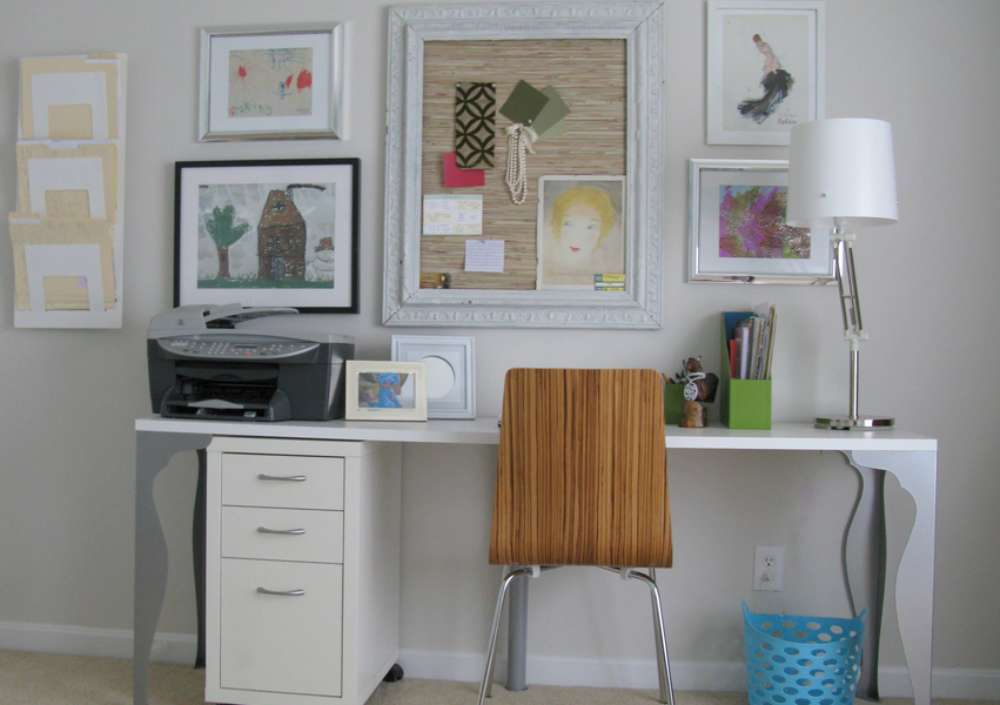
Vertical file organizers maximize desk surface space. Wall-mounted units keep frequently accessed documents within reach.

Archive boxes store seasonal or completed project materials. Label clearly and store in closets or dedicated storage areas.

Supply Organization Strategies

Drawer dividers create designated spaces for different items. Adjustable systems adapt as supply needs change over time.

Desktop organizers prevent small item chaos. Choose designs that complement your workspace aesthetic while maximizing functionality.

Clear containers make contents visible instantly. Glass or acrylic options work well in modern office settings.

Supply carts move between different work zones easily. Stock them with frequently used items for maximum efficiency.

Mobile Storage Solutions

Rolling carts serve multiple organizational functions. Use them for printer paper, craft supplies, or reference materials.

Under-desk pedestals provide accessible drawer storage. Choose locking options for sensitive documents or valuable items.

Modular storage adapts to changing workspace requirements. Mix shelving, drawers, and cabinet components as needed.

Stackable bins organize seasonal or project-specific materials. Label contents clearly for quick identification.

Personal Item Storage

Coat closets or hooks accommodate outerwear and bags. Position them near office entrances for convenient access.

Personal electronics require secure, organized storage. Dedicated charging stations prevent cord tangling and device damage.

Reference materials need accessible yet organized placement. Bookshelf systems display while keeping materials orderly.

Decorative storage boxes hide less attractive necessities. Choose designs that complement your overall office aesthetic.

Vertical Storage Maximization

Wall-mounted shelving utilizes unused vertical space. Install at varying heights to accommodate different item sizes.

Tall bookcases reach ceiling height for maximum storage. Anchor securely to prevent tipping with heavy loads.

Contemporary shelving combines function with visual appeal. Floating designs create clean, modern appearances.

Over-door organizers add storage without floor space consumption. Use them for supplies, documents, or personal items.

Decorative Elements and Personal Touches

Decorative Elements and Personal Touches

Personal elements transform functional spaces into inspiring environments. Balance professional appearance with individual expression.

Wall Art and Display Options

Gallery walls showcase personal interests and achievements. Mix photography, artwork, and professional credentials thoughtfully.

Motivational artwork reinforces positive mindset during challenging work periods. Choose pieces that genuinely inspire rather than generic corporate messaging.

Professional achievement displays build credibility during video calls. Frame certifications, awards, or relevant credentials prominently.

Personal photography adds warmth without compromising professionalism. Family or travel images create conversation starters during virtual meetings.

Plant Integration Strategies

Low-maintenance plants improve air quality naturally. Snake plants and pothos thrive in office lighting conditions.

Indoor plants reduce stress while adding organic elements. Choose varieties that tolerate occasional neglect and varying light conditions.

Vertical garden systems maximize greenery in compact spaces. Wall-mounted planters create living artwork features.

Desktop plant arrangements brighten immediate work areas. Small succulents or air plants require minimal maintenance.

Personal Comfort Elements

Throw pillows add color and comfort to seating areas. Choose fabrics that coordinate with your overall color scheme.

Personal collections reflect individual interests and personality. Display books, art objects, or hobby-related items thoughtfully.

Scented elements create pleasant work environments. Essential oil diffusers or subtle candles enhance ambiance without overwhelming.

Background music systems support focus and creativity. Choose options that won’t interfere with video calls or concentration.

Seasonal Decoration Updates

Quarterly refreshes prevent workspace staleness. Change artwork, accessories, or plant arrangements to maintain visual interest.

Holiday decorations add festive touches without overwhelming professional appearance. Subtle seasonal elements work better than elaborate displays.

Color accent updates reflect changing seasons naturally. Swap pillow covers, artwork, or desk accessories quarterly.

Natural element rotation brings outdoors inside. Change from spring flowers to autumn leaves throughout the year.

Lighting as Decoration

Table lamps provide both function and style. Choose designs that complement furniture while adding personality.

String lights create cozy ambiance for evening work sessions. Battery-operated options avoid cord management issues.

Accent lighting highlights artwork or architectural features. Use it sparingly to create visual interest without overwhelming brightness.

Decorative fixtures serve dual purposes effectively. Statement pendant lights or unique table lamps become conversation pieces.

Texture and Pattern Integration

Textured walls add visual interest without color commitment. Removable wallpaper or wall decals work well in rental spaces.

Patterned rugs define workspace boundaries while adding warmth. Choose designs that complement rather than compete with other elements.

Fabric elements soften hard surfaces naturally. Curtains, upholstery, or decorative panels balance metal and glass components.

Mixed material displays create engaging visual combinations. Combine wood, metal, glass, and fabric elements thoughtfully.

Professional Brand Elements

Company colors or logos maintain brand consistency. Incorporate subtly through accessories rather than overwhelming displays.

Industry-relevant artwork reinforces professional expertise. Choose pieces that reflect your field while maintaining artistic merit.

Award displays build credibility with clients and colleagues. Frame and position certificates or achievements prominently but tastefully.

Business card displays make networking materials easily accessible. Choose holders that complement your desk organization system.

Ergonomic Considerations

Ergonomic Considerations

Proper ergonomics prevents injury and maintains productivity throughout long work sessions. Invest in adjustable solutions that accommodate different body types and work styles.

Workstation Setup Fundamentals

Monitor placement reduces neck strain significantly. Position screens 20-26 inches away with the top edge at eye level.

Dual monitor configurations require careful alignment. Match height and angle to prevent constant head turning between displays.

Keyboard positioning affects wrist health directly. Keep hands in neutral position with wrists floating above the keyboard surface.

Mouse placement should mirror keyboard height. Use mouse pads with wrist support to maintain proper alignment.

Seating and Posture Support

Ergonomic office chairs adjust to individual body dimensions. Humanscale and Steelcase offer models with comprehensive adjustment features.

Lumbar support maintains natural spine curvature. Built-in or add-on cushions prevent lower back pain during extended sitting.

Seat height allows feet to rest flat on the floor. Thighs should be parallel to the ground with knees at 90-degree angles.

Armrest positioning supports shoulders naturally. Adjust height so arms rest comfortably without lifting or dropping shoulders.

Movement and Flexibility Integration

Standing desk transitions encourage regular position changes. Set reminders to alternate between sitting and standing every 30-60 minutes.

Stretching space allocation prevents muscle stiffness. Designate areas for simple desk exercises and movement breaks.

Balance boards engage core muscles while standing. Use them intermittently rather than for extended periods initially.

Walking meetings utilize phone calls for movement opportunities. Pace around the office or step outside during calls.

Eye Strain Prevention

Screen distance prevents focusing fatigue. Follow the 20-20-20 rule: every 20 minutes, look at something 20 feet away for 20 seconds.

Blue light filtering reduces digital eye strain. Use computer glasses or software filters during evening work sessions.

Ambient lighting prevents harsh screen contrast. Position indirect light sources to eliminate glare and shadows.

Monitor brightness should match surrounding light levels. Adjust throughout the day as natural light conditions change.

Health and Wellness Features

Air quality improvement affects cognitive function. Add plants or air purifiers to maintain fresh workspace environments.

Temperature control impacts comfort and productivity. Maintain 68-72°F for optimal performance and alertness.

Noise management supports concentration levels. Use white noise machines or noise-canceling headphones as needed.

Hydration reminders encourage regular water intake. Keep water bottles visible and set periodic drinking alerts.

Budget-Friendly Implementation Strategies

Budget-Friendly Implementation Strategies

Creating an effective workspace doesn’t require significant investment. Strategic shopping and DIY solutions achieve professional results affordably.

Thrifting and Second-Hand Solutions

Vintage furniture offers character at fraction of new prices. Check estate sales, thrift stores, and online marketplaces regularly.

Office furniture liquidations provide commercial-grade pieces affordably. Search for businesses closing or relocating for quality options.

Refinishing projects transform outdated pieces into modern solutions. Sand and paint existing furniture to match current aesthetics.

Facebook Marketplace and Craigslist offer local deals. Search regularly for specific items and negotiate prices when possible.

DIY Project Ideas

Custom desk construction saves hundreds of dollars. Build simple designs using lumber, pipes, or repurposed materials.

Storage solutions adapt household items creatively. Use mason jars, shoe organizers, or magazine holders for office supplies.

Floating shelves cost less than pre-made units. Install brackets and boards for customized storage at any height.

Cable management systems use zip ties and adhesive clips. Route cords professionally without expensive commercial solutions.

Multi-Purpose Furniture Options

Dining tables double as spacious work surfaces. Choose heights appropriate for both eating and computer work.

Ottoman storage provides seating and organization simultaneously. Select designs that complement existing room decor.

Bookcases serve as room dividers and storage. Position strategically to define workspace boundaries in shared rooms.

Bar carts function as mobile supply stations. Move between different work areas as needed throughout the day.

Phased Implementation Approaches

Priority item identification focuses limited budgets effectively. Start with chair and desk, then add storage and lighting gradually.

Seasonal upgrade planning spreads costs over time. Purchase major items during sales periods like back-to-school or year-end clearances.

Gift suggestions guide friends and family. Share specific wish lists for birthdays and holidays to build workspace gradually.

Return on investment calculations justify expenses. Consider how productivity improvements offset furniture and equipment costs.

Affordable Retailer Recommendations

IKEA offers stylish options at reasonable prices. Mix and match modular systems to create custom storage solutions.

Target furniture provides contemporary designs affordably. Check clearance sections and seasonal sales for additional savings.

Amazon basics lines include office essentials. Compare prices with name brands for significant savings on basic items.

Wayfair sales events offer substantial discounts. Sign up for alerts on specific items and wait for promotional periods.

Free and Low-Cost Resources

Library makerspaces provide tool access for DIY projects. Use equipment you can’t afford to purchase for one-time builds.

Online tutorials guide project completion. YouTube and Pinterest offer step-by-step instructions for most furniture modifications.

Community swap groups exchange items locally. Join neighborhood Facebook groups to trade unused items for needed pieces.

Workplace surplus sometimes includes furniture. Ask employers about available items when offices relocate or downsize.

Long-Term Value Strategies

Quality basics last longer than trendy pieces. Invest in solid construction for items used daily like chairs and desks.

Neutral colors remain stylish longer. Choose classic finishes that won’t look dated in five years.

Modular systems adapt to changing needs. Select pieces that reconfigure rather than require complete replacement.

Warranty protection justifies slightly higher costs. Choose retailers offering guarantees on furniture and equipment purchases.

Maintenance and Longevity

Maintenance and Longevity

Regular upkeep preserves workspace functionality and appearance. Establish routines that prevent major problems while maintaining professional standards.

Daily Maintenance Routines

Cleaning schedules maintain hygiene and equipment performance. Wipe surfaces, keyboards, and screens daily to prevent buildup.

Desk organization prevents clutter accumulation. Return items to designated places after each work session.

Equipment shutdown protects electronics from power surges. Turn off monitors, printers, and non-essential devices nightly.

Supply inventory checks prevent workflow interruptions. Monitor paper, ink, and frequently used items for timely replacement.

Weekly Deep Cleaning Tasks

Vacuum or sweep workspace floors thoroughly. Pay attention to areas under desks where dust and debris collect.

Equipment maintenance includes cleaning air vents and fans. Compressed air removes dust from computer components safely.

Cable management reviews prevent tangling and damage. Reorganize cords that have shifted or become displaced during use.

Plant care maintains air quality benefits. Water, prune, and rotate indoor plants according to their specific needs.

Monthly System Updates

Software updates improve security and performance. Schedule automatic updates during non-working hours to minimize disruption.

Organization system evaluation identifies improvement opportunities. Assess whether current storage solutions still meet changing needs.

Furniture condition inspections catch wear early. Tighten loose hardware and address minor damage before it worsens.

Backup procedures protect important data. Test cloud storage and external drive functionality regularly.

Seasonal Updates and Refreshes

Color scheme adjustments reflect changing seasons. Swap decorative elements to maintain visual interest throughout the year.

Workspace refreshes prevent staleness and boost motivation. Rearrange furniture or update artwork quarterly.

HVAC system maintenance ensures comfortable working conditions. Replace filters and check temperature controls before seasonal changes.

Natural light optimization adjusts for seasonal variations. Modify window treatments as sun angles change throughout the year.

Equipment Longevity Strategies

Monitor and keyboard protection extends lifespan significantly. Use covers when not in use and clean regularly with appropriate solutions.

Chair maintenance preserves comfort and adjustability. Lubricate mechanisms and replace worn casters as needed.

Surge protection safeguards electronic investments. Replace surge protectors every few years or after major electrical events.

Climate control prevents humidity damage. Maintain consistent temperature and humidity levels to protect wood furniture and electronics.

Adaptability for Changing Needs

Flexible furniture systems accommodate evolving work requirements. Choose modular pieces that reconfigure rather than require replacement.

Technology upgrade planning prevents obsolescence. Budget for equipment replacement before current items fail completely.

Storage system expansion grows with document accumulation. Add components to existing systems rather than replacing entirely.

Ergonomic adjustments address changing physical needs. Modify setup as work habits or health considerations evolve.

Professional Maintenance Services

Complex equipment servicing requires professional expertise. Schedule annual maintenance for printers, HVAC systems, and specialized equipment.

Cleaning services handle deep workspace maintenance. Professional cleaners address areas difficult to reach or requiring special products.

Furniture restoration extends piece lifespan economically. Refinish wood surfaces or reupholster chairs rather than replacing entirely.

Technology support prevents prolonged downtime. Establish relationships with IT professionals for complex computer issues.

Long-Term Investment Protection

Warranty documentation preserves repair and replacement options. Keep purchase records and warranty information organized and accessible.

Insurance coverage protects against theft or damage. Document equipment with photos and serial numbers for claims purposes.

Preventive care costs less than emergency repairs. Address minor issues promptly to prevent major system failures.

Quality upgrades reduce long-term replacement costs. Invest in durable pieces that withstand daily use over many years.

FAQ on Contemporary Home Office Ideas

What defines contemporary home office design?

Contemporary design emphasizes clean lines, neutral colors, and functional furniture. It incorporates modern technology seamlessly while avoiding clutter. Materials like glass, metal, and engineered wood create sophisticated aesthetics that support productivity.

How much space do I need for a home office?

A functional workspace requires minimum 6×8 feet. Corner configurations maximize small areas effectively. Space planning prioritizes ergonomic desk placement, adequate lighting, and storage accessibility over square footage.

What’s the best desk for contemporary offices?

Standing desks from Uplift or Autonomous offer versatility. L-shaped configurations work well in corners. Choose minimalist designs with cable management features and durable surfaces that complement your aesthetic preferences.

How do I choose office lighting?

Layer three lighting types: ambient, task, and accent. Position desks perpendicular to windows. Use LED desk lamps for focused work and overhead fixtures for general illumination while avoiding screen glare.

What colors work best for productivity?

Cool blues and greens promote focus. Neutral grays provide versatile backdrops. Contemporary color schemes often feature monochromatic palettes with strategic accent colors through artwork or accessories for visual interest.

How do I manage cables in modern offices?

Use under-desk cable trays and cord clips. Wireless technology reduces cable needs significantly. Route power cords through furniture channels and invest in surge protectors with USB charging capabilities.

What storage solutions fit contemporary aesthetics?

Floating shelves maintain clean lines. Modular systems from IKEA adapt to changing needs. Built-in storage integrates seamlessly while file cabinets with modern finishes hide necessary paperwork effectively.

How do I create privacy in open spaces?

Room divider screens separate work areas. Bookcases provide storage while defining boundaries. Acoustic panels reduce noise while contemporary office furniture positioning creates natural barriers without walls.

What plants work in home offices?

Snake plants and pothos require minimal maintenance. Indoor plants improve air quality naturally. Position near windows for adequate light while choosing varieties that tolerate office lighting conditions.

How do I design on a budget?

Thrift vintage furniture and refinish pieces. DIY floating shelves cost less than pre-made units. Multi-functional furniture maximizes value while modular storage grows with needs affordably.

Conclusion

Implementing contemporary home office ideas transforms any workspace into a productivity powerhouse. Modern design principles create environments that inspire daily success while maintaining professional aesthetics.

Strategic furniture placement and ergonomic considerations protect health during extended work sessions. Quality pieces from Herman Miller or Steelcase provide long-term value through durability and adjustability.

Technology integration streamlines daily workflows while cable management maintains clean visual lines. Smart lighting systems and wireless solutions reduce clutter while supporting various work activities throughout the day.

Personal touches balance professionalism with individual expression. Plants, artwork, and industrial interior design elements create inspiring environments that reflect personal style preferences.

Budget-conscious approaches prove that effective workspace design doesn’t require significant investment. DIY solutions, thrift finds, and phased implementation strategies achieve professional results affordably while maintaining contemporary aesthetics and functional requirements.

Andreea Dima
Latest posts by Andreea Dima (see all)
Author

Andreea Dima is a certified interior designer and founder of AweDeco, with over 13 years of professional experience transforming residential and commercial spaces across Romania. Andreea has completed over 100 design projects since 2012. All content on AweDeco is based on her hands-on design practice and professional expertise.

Pin It